FWDS Dock
One-click album automation inside Photoshop
Dock is a floating toolbar that loads inside Photoshop the way commercial album panels do. It turns the repetitive part of album finishing, converting placeholders, filling frames, refitting a photo, swapping two of them, into single buttons, on the document you already have open.
- Runs on
- Photoshop 2020 or newer, Mac or Windows
- Needs
- Adobe Photoshop
- Trial
- None. Sold by the year
- Price
- 2,390rupees a year
What it does
The parts of Dock that earn their keep
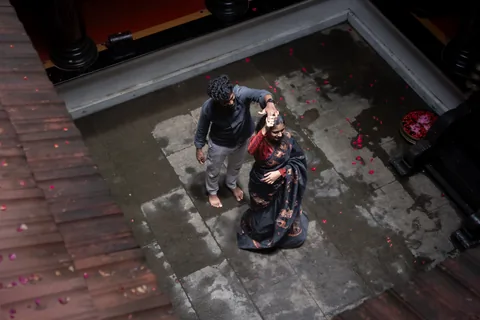
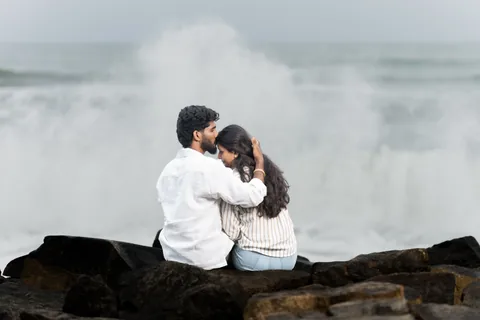
A hundred and twenty empty placeholders and one floating palette. Scroll to watch it do the four jobs that matter, one frame at a time.

- 01 — Placeholder 014 · Auto Convert
Auto Convert: placeholders become frames
Convert every placeholder layer in the document at once, convert only the ones you selected, or run a batch convert across a whole folder of spreads. Dock recognises placeholder layers by name, so an album built anywhere, including a Leaflo PSD export, is understood as soon as it opens.
- 02 — Placeholder 037 · Auto Fill
Auto Fill: the frames fill themselves
Fill every frame in the spread in one press, or only the frames you picked. A used-photo manifest travels with the document, so the same image is not quietly placed twice across a long album.
- 03 — Placeholder 062 · Fit To Frame · Swap
Fit To Frame and Swap, on the photo you clicked
Refit a placed photo to its frame, or swap two photos between frames. Both work from the visible photo you clicked, not the shape hidden underneath it, because that is what your hand actually selects.
- 04 — Placeholder 089 · Fill Text · Save as PSD
The rest of the spread’s chores
Fill Text, Restore Used, Reset PSD, Save as PSD and Close PSD, with F9 and F10 bound to save and close. Fourteen buttons that cover the whole finishing pass, in one floating palette that stays above the document.
In detail
Everything else it does
The list a working studio actually asks about on the second call.
The full toolbar
- Open · Auto Convert · Convert Selected · Batch Auto Convert
- Auto Fill · Selected Frame Fill · Fill Text
- Fit To Frame · Swap
- Save as PSD · Close PSD · Restore Used · Reset PSD · Close Panel
- License and Check for updates sit apart, on the right.
How it behaves
- A floating palette, not a docked panel that steals your canvas width.
- A status bar in the panel reports what each action did.
- Placed photos are Smart Objects clipped to their frame, so a refit or a swap never destroys pixels.
- On a Mac, F2 opens the toolbar, F9 saves the PSD, F10 closes it. On Windows it opens from File ▸ Scripts.
Installing it
- On a Mac, an installer puts everything in /Applications/FWDS Dock. On Windows, in Program Files.
- On a Mac, load the action set into Photoshop once, Window ▸ Actions ▸ Load Actions. After that the panel is one keystroke away.
- On Windows the installer adds it to Photoshop’s own File ▸ Scripts menu, so there is nothing to load.
- Neither installer is code-signed yet, so each machine warns you once before it will run.
What you need
- Adobe Photoshop 2020 or newer, on macOS or Windows.
- On a Mac, a one-time action-set load inside Photoshop.
- Album PSDs built on placeholder layers, Leaflo exports these, and your existing templates work too.
Download FWDS Dock
FWDS Dock has no trial. It is sold by the year, and it comes free with FWDS Leaflo yearly or two years.
Already have an account?
Your password is typed here, in your own browser, and never inside the app.
FWDS Dock — what it costs
compare with the other appsMonthly
Not offered
Sold by the year, or free with FWDS Leaflo yearly.
Yearly
2,390rupees
billed once a year
2 computers
199rupees a month
2 years
4,490rupees
billed once, covers two years
2 computers
187rupees a month
Free with FWDS Leaflo yearly or two years, and with the FWDS Flow Bundle, for as long as that plan runs.
It runs on two computers, any mix of Mac and Windows. FWDS Dock has no trial.
Will it run
What FWDS Dock needs from your machine
Measured on a real install. Where a figure is reasoning rather than measurement, it says so.
Windows
- Version
- Windows 10 or 11, 64-bit
- Photoshop
- 2020 or newer
- Download
- 203 KB installer
- Disk after install
- 229 KB
- Admin rights
- Needed. Ask us if your office PC refuses it.
Windows has no F2 shortcut. The action set that gives the Mac its keystroke stores Mac-style file links, and Windows Photoshop cannot follow them, so the panel opens from File ▸ Scripts instead. Everything the panel does is the same.
Mac
- Chip
- Apple silicon and Intel
- Version
- macOS 10.15 Catalina or later
- Photoshop
- 2020 or newer
- Download
- 77 KB
- Disk after install
- 320 KB
- Admin rights
- Needed. It installs to /Applications.
The Mac build also loads as a Photoshop action set, which is what puts the panel on F2 and gives it a row of buttons in the Actions panel.
Either machine
- Memory
- 8 GB minimum, 16 GB comfortable
- Internet
- To confirm the plan, once every ten days. Not to work.
- Creative Cloud plugin
- Not needed. This is not a plugin.
- Your albums
- PSDs built on placeholder layers
Neither installer is code-signed yet, so each machine stops you once on the first run: on a Mac, System Settings → Privacy & Security → Open Anyway; on Windows, More info → Run anyway.
The part people forget
The panel is half a megabyte. What it does to your files is the part worth planning for. Measured on a real spread from this studio, then multiplied out:
- One 36 × 12 in spread, 7200 × 2400
- 131 MB
- The same spread after Auto Convert
- about 295 MB
- A 20-spread album, converted
- about 5.9 GB
- Batch keeps your originals as well
- about 2.6 GB
- Total
- about 8.5 GB
Auto Convert raises a file to 300 ppi while keeping its printed size, so the pixel count goes up 2.25 times. That is the whole difference. Batch Auto Convert writes into a new FWDS Convert folder by default and leaves your originals alone, so plan for both copies unless you choose to overwrite. Ten gigabytes free is comfortable for one album.
Where these came from
- Photoshop 2020 is the oldest version anyone has actually run this on, on Windows. The Mac side is tested on Photoshop 2026. Six years apart, both working, is good reason to trust everything in between. Below 2020 is untested rather than unsupported.
- The download and install sizes are measured, not estimated. The panel is plain script files, which is why it is smaller than a photograph.
- The memory figures are reasoning rather than measurement. The panel itself needs almost nothing; the memory goes to Photoshop holding your spread open.
Questions
What studios ask before they try Dock
Short answers, from the same facts as the rest of this page. Anything else, ask us, or read how the five apps fit together.
Is FWDS Dock a Photoshop plugin?
Not a Creative Cloud plugin, so there is nothing to install through Creative Cloud. Dock is a script toolbar that floats above your document. On a Mac it loads from an action set and F2 opens it; on Windows the installer adds it to File ▸ Scripts.
Which versions of Photoshop does it work with?
Photoshop 2020 or newer, on Windows 10 or 11 and on macOS 10.15 Catalina or later, Apple silicon or Intel. 2020 is the oldest version it has been run on; older ones are untested rather than refused.
Will it work with my existing album templates?
Yes, if the photo boxes in the template are placeholder layers. Dock recognises them by name, so a PSD exported from FWDS Leaflo works, and so do templates built elsewhere.
Does Dock need the internet?
Only to confirm the plan, at least once every ten days. The work itself happens inside Photoshop on your computer, with or without a connection in between.
How much disk space do converted albums need?
Auto Convert raises a spread to 300 ppi at the same printed size, so the file grows about 2.25 times: a 131 MB 36 × 12 spread becomes about 295 MB. Batch Auto Convert keeps your originals too, so allow about 10 GB free for one album.
Is there a free trial of FWDS Dock?
FWDS Dock has no trial. It is sold by the year, and it comes free with FWDS Leaflo yearly or two years.


Next step
Add FWDS Dock
There is no trial on this one. It lives inside Photoshop rather than running on its own, it is sold by the year, and it comes free with FWDS Leaflo yearly or two years. Message us and we will set it up.
- Phone
- +91 98427 44884
- Hours
- We answer between shoots. Usually within a day.